In a world where smart devices are taking over homes, the Honeywell Home T6 Pro Smart Thermostat stands out like a superhero in a sea of sidekicks. With its sleek design and intuitive features, it doesn’t just keep your home cozy; it gives you the power to control your climate with a tap or a voice command. Who knew that staying comfortable could be this cool?
Overview of Honeywell Home T6 Pro Smart Thermostat
The Honeywell Home T6 Pro Smart Thermostat combines style with functionality. This device provides an easy way to manage home temperatures through an intuitive interface.
Key Features
The T6 Pro boasts several notable features. Wi-Fi connectivity allows remote access via smartphone apps. Compatibility with various heating and cooling systems offers flexibility in installation. Voice control integration supports popular platforms such as Amazon Alexa and Google Assistant. Easy scheduling options enable users to adjust settings based on their daily routines, enhancing energy efficiency and comfort. Geofencing technology automates adjustments based on the homeowner’s proximity, ensuring optimal temperatures upon arrival.
Design and Aesthetics
Elegant design characterizes the T6 Pro, enhancing any room’s decor. A large touchscreen display provides easy readability and navigation. Available in a modern color palette, it complements various interior styles. Slim profile ensures a subtle presence on walls, avoiding a bulky appearance. Installation options include wall mounting or tabletop placement, catering to individual preferences. The thoughtful design improves usability, resulting in a streamlined experience for users both young and old.
Installation Process
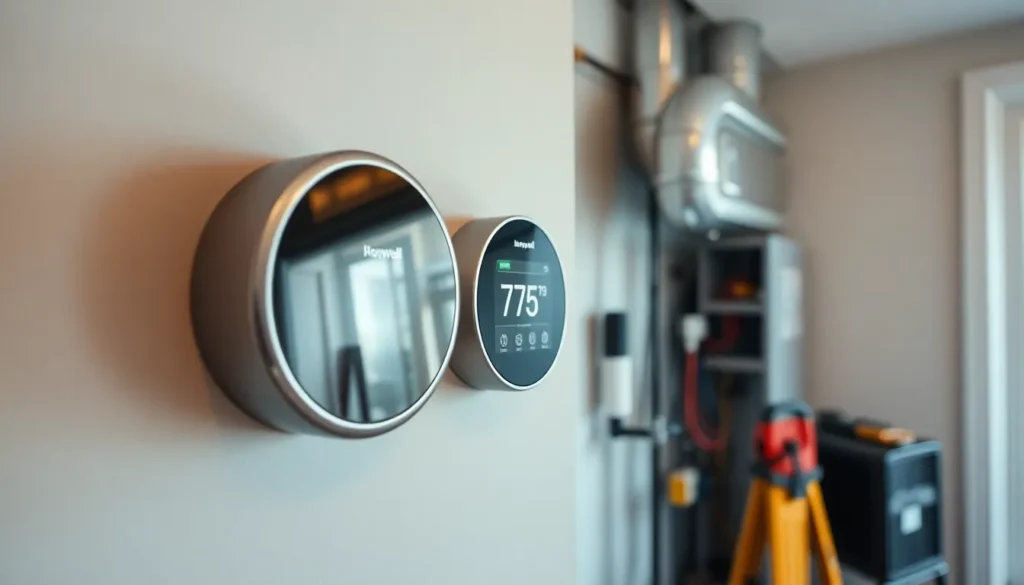
Installing the Honeywell Home T6 Pro Smart Thermostat requires attention to detail and careful steps. Following the right procedures ensures a smooth setup.
Step-by-Step Guide
- Turn off the power to the HVAC system at the circuit breaker.
- Remove the existing thermostat faceplate.
- Take a picture of the wiring for reference.
- Connect the wires from the old thermostat to the T6 Pro, matching colors accurately.
- Attach the thermostat to the wall plate, securing it firmly.
- Restore power to the HVAC system by flipping the circuit breaker back on.
- Connect to Wi-Fi by following on-screen prompts.
- Download the Honeywell Home app to finalize the setup and access controls.
Common Installation Issues
Wiring errors frequently lead to thermostat malfunctions. Users often forget to turn off power, resulting in electrical hazards. Some HVAC systems may not be compatible, creating further frustration. Poor Wi-Fi reception could interfere with remote control functions. Additionally, improper placement can affect temperature readings and overall efficiency. Taking time to address these issues will enhance the installation experience and optimize performance.
User Experience
User experience with the Honeywell Home T6 Pro Smart Thermostat stands out due to its intuitive design and robust features. Homeowners report a seamless interaction with the device, enhancing comfort and control.
Interface and Usability
Touchscreen navigation offers bright visuals and quick access to settings. Users appreciate the straightforward menu layout, which simplifies adjustments. Voice command capabilities provide an alternative for hands-free operation. Many find the learning curve minimal, allowing even those unfamiliar with smart devices to adapt quickly. Customizable scheduling options let users set temperature changes at specific times, creating an efficient living environment. Geofencing technology intelligently adjusts temperatures based on proximity, which many find helpful.
Performance and Responsiveness
Users experience quick responses when adjusting temperature settings. Wi-Fi connectivity ensures updates and changes occur without delay. Compatibility with varied HVAC systems adds to the thermostat’s versatility, meeting most users’ needs. Reports indicate accurate temperature readings, contributing to energy efficiency. Ease of integration with smart home systems, including Amazon Alexa and Google Assistant, adds practical value. Homeowners often notice reduced energy usage as the thermostat learns their preferences over time.
Energy Efficiency
The Honeywell Home T6 Pro Smart Thermostat enhances energy efficiency through its intelligent design.
Cost Savings Potential
Users often see significant reductions in energy bills after installing the T6 Pro. This thermostat learns individual preferences over time, optimizing heating and cooling schedules accordingly. Automated adjustments based on real-time data allow for strategic energy use. Homeowners report savings of up to 10-15% on heating and cooling costs, particularly in moderate climates. Many also benefit from features like geofencing, which ensures heating or cooling only operates when someone is home. Combining these efficiencies leads to a notable return on investment.
Comparison with Traditional Thermostats
Traditional thermostats lack the advanced features of the T6 Pro, leading to less effective energy management. Unlike manual models, the smart thermostat provides precise control, reducing energy waste. Homeowners often struggle to achieve consistent temperatures with older devices, while the T6 Pro maintains optimal conditions seamlessly. It also offers remote access, allowing real-time adjustments from smartphones. Enhanced scheduling capabilities further differentiate it from conventional units, resulting in more efficient energy utilization throughout the day.
Integration with Smart Home Systems
The Honeywell Home T6 Pro Smart Thermostat integrates seamlessly with a variety of smart home systems. This compatibility enhances user experience by allowing homeowners to manage their indoor environment through multiple platforms.
Compatibility with Other Devices
The T6 Pro connects easily with devices like Amazon Echo and Google Home. Users access thermostat functions via voice commands, creating a hands-free experience. Integration with Apple HomeKit enables control through Siri. The compatibility extends to smart lighting systems and security cameras, allowing for centralized management. Homeowners appreciate the flexibility in connecting various devices, which promotes a unified smart home ecosystem.
Benefits of Smart Home Integration
Smart home integration yields numerous advantages for users. Convenience stands out as users can adjust temperatures remotely using smartphone apps. Energy efficiency improves by automating adjustments based on occupancy. Time savings occur through customizable schedules, ensuring optimal comfort without user intervention. Enhanced security features enable temperature control while away from home, maintaining a comfortable environment upon return. These benefits contribute to a more efficient and automated household, aligning with modern lifestyle preferences.
The Honeywell Home T6 Pro Smart Thermostat stands out as a top choice for homeowners seeking style and efficiency. Its sleek design and intuitive features make it easy to control indoor climates while enhancing home decor. With smart technology integration and energy-saving capabilities, it not only simplifies temperature management but also contributes to lower energy bills.
Users appreciate the seamless interaction and customizable options that adapt to their lifestyles. The T6 Pro truly represents a modern solution for today’s smart homes, offering convenience and comfort at the touch of a button or through voice commands. Embracing this technology can lead to a more efficient and enjoyable living environment.